01
Stock per location
Each store holds its own count for every variation. The medium in sage can be at your downtown shop and sold out at the mall, and the system knows.
Feature 05 · Two stores and a stockroom
When a customer wants a size you have at the other branch, you should know in seconds. BoutiquePOS tracks stock by location and moves it between them with a transfer.
Multi-location stock in BoutiquePOS tracks inventory separately for each store, warehouse or stockroom under one account. You can see what each location holds, move pieces between them with stock transfers, and give each location its own registers, staff permissions and receipt layout. Reports can be run per location or across the business.
Who needs it
On the shop floor
Try it · stock transfer
| Silk scarf · Saffron | Shop A (main street) | Shop B (mall) |
|---|---|---|
| In stock | 0 | 5 |
Each store holds its own count for every variation. The medium in sage can be at your downtown shop and sold out at the mall, and the system knows.
Move pieces from the stockroom to a store, or from one branch to another. Stock leaves one location and arrives at the other with a record of who sent it.
Permissions can be set per location, so staff sell and count only where they work while you see everything.
Each location can have its own invoice layout, address and language, which matters if one branch serves Arabic- or Urdu-speaking customers.
Run a sale at the outlet store only, or set location-specific discounts, without touching the flagship's prices.
Compare stores side by side or look at the whole business, from sales to stock value.
“The size they want is usually in your other store. Now you can see it.”
The workflow
Need the screens? The help center walks through each one, and the setup guide covers your first day.
Create each store, warehouse or stockroom with its address and receipt settings.
Set up registers and give each staff member access to their locations.
Enter or import opening stock for each location.
Move sizes between stores with a stock transfer when one runs short.
Check sales and stock reports per store to plan the next buy.
Care instructions
CARE 1
If staff carry stock across town without a transfer, counts drift. Make the transfer part of the handover, before the bag leaves the store.
CARE 2
Opening stock entered at two locations by mistake inflates your totals. Import per location and check the stock report before your first sale.
CARE 3
Flagship covers up to three locations; each extra location is $29 a month.
USA
US boutiques with a main street store and a seasonal pop-up can move stock in and out and close the pop-up's books separately.
UAE
UAE brands with a mall store in Dubai and a branch in Sharjah or Abu Dhabi can share stock between them by transfer.
Pakistan
Pakistani brands with branches across Lahore, Karachi and Islamabad can move lawn stock to the city where a print is selling fastest.
On the rail
Sample reviews: illustrative examples written by our team to show the kind of results boutiques look for. They are not from real customers and will be replaced with real, verified reviews.
Buying is where boutique margins are made or lost. BoutiquePOS records what you ordered, what arrived and what you owe, size by size.

Buying decisions are better with numbers than with memory. BoutiquePOS reports show what sold, what is left and what you made, by store, category and size.
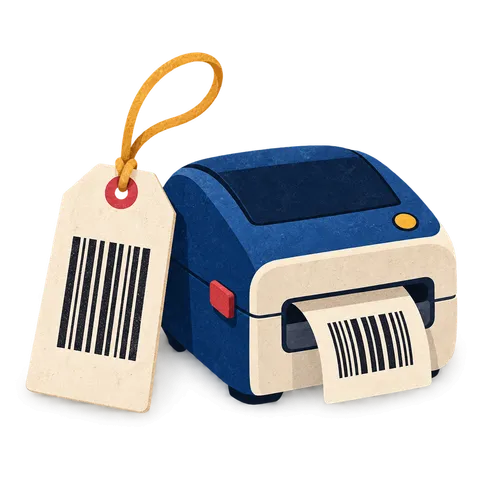
A clear tag with the size, color, price and a barcode that scans keeps the queue moving. BoutiquePOS prints them from your catalog on the printer you already have or a cheap thermal one.
FAQ
Still unsure? Ask us on WhatsApp or the form, or search the help center.
Capsule and Collection are one location each. Flagship covers up to three locations, and extra locations are $29 a month each.
Yes. A stockroom or warehouse can be its own location that feeds your stores by transfer.
Choose the from and to locations and the items. Stock leaves one and arrives at the other, with a record of the transfer.
Yes. Permissions can be set per location.
Yes. Invoice layouts are set per location, including language.
Yes. Stock reports can be filtered by location or shown for the whole business.
Discounts can be set by location, so one store can run a sale while another keeps full price.
Each business has one main currency. If you run stores in two countries, ask on your demo how best to set it up.
14-day free trial
Start free today, or book a demo and we set it up on your own products.
No card for the trialNo contractImport help is free
Adjust the site to suit you. Choices are saved on this device.
 BoutiquePOS
Recent
Popular