01
Products push to WooCommerce
Create a style in BoutiquePOS with its variations, prices and photos, then sync it to WooCommerce instead of typing it twice.
Feature 03 · Online and in store
Selling the last medium online while it hangs in your window is how boutiques end up apologizing. BoutiquePOS syncs with WooCommerce so the shop and the website draw from the same stock.
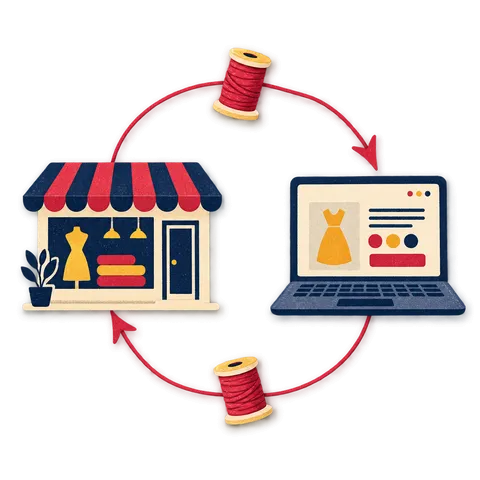
WooCommerce sync in BoutiquePOS connects your store to your WooCommerce site so products, stock levels and orders move between them. Products you add in the POS can be pushed to WooCommerce and web orders come back into the POS. Shopify works through an integration (ask on your demo), and a built-in online store is generated from your catalog.
Who needs it
On the shop floor
How the sync flows
Shopify: through an integration. Ask about your store on a demo.
Create a style in BoutiquePOS with its variations, prices and photos, then sync it to WooCommerce instead of typing it twice.
When a piece sells at the till, the stock you show online goes down too. Fewer oversold web orders, fewer awkward refund emails.
WooCommerce orders sync into BoutiquePOS so web sales appear alongside shop sales in your reports and stock history.
Variable products with sizes and colors sync as variations, so online shoppers choose the same size run you sell in store.
There is no built-in Shopify sync. Shopify can work through an integration, and the right setup depends on your store, so ask on your demo before you commit.
Every BoutiquePOS account gets an online store generated automatically from your catalog. If you do not already run WooCommerce, it may be all you need.
“One catalog, one count, two doors for customers to walk through.”
The workflow
Need the screens? The help center walks through each one, and the setup guide covers your first day.
Add your WooCommerce API keys in BoutiquePOS settings.
Match your POS categories and tax rates to the ones on your site.
Push your catalog with its variations and stock to WooCommerce.
Bring web orders into the POS so stock and reports cover both channels.
Sell in store and online; check the sync log if anything looks out of step.
Care instructions
CARE 1
If your WooCommerce site already has products, syncing without planning can create duplicates. Our team helps you plan the first sync on your demo or import call.
CARE 2
Sync runs rather than streams, so there can be a short gap between a sale and the update. For your last few pieces of a hot style, keep a small buffer online.
CARE 3
Shopify is not built in. It works through an integration, and we would rather you ask on your demo than discover a gap after switching.
USA
US boutiques running WooCommerce can keep online and in-store holiday stock in one count, with web orders landing in the same reports.
UAE
UAE boutiques that sell through a WooCommerce site and WhatsApp can keep one stock count and record web orders alongside mall sales.
Pakistan
Pakistani brands with a WooCommerce store for nationwide delivery can sync lawn and pret stock so the shop and the site do not sell the same last suit.
On the rail
Sample reviews: illustrative examples written by our team to show the kind of results boutiques look for. They are not from real customers and will be replaced with real, verified reviews.

A dress that comes in five sizes and three colors is fifteen things to count, not one. BoutiquePOS keeps each of them separate so you always know whether the medium in sage is on the rack.

When a customer wants a size you have at the other branch, you should know in seconds. BoutiquePOS tracks stock by location and moves it between them with a transfer.

Buying decisions are better with numbers than with memory. BoutiquePOS reports show what sold, what is left and what you made, by store, category and size.
FAQ
Still unsure? Ask us on WhatsApp or the form, or search the help center.
Products (including variations), stock levels and orders.
Not natively. Shopify works through an integration, and the details depend on your store, so ask on your demo.
WooCommerce sync is included on the Collection plan and above.
No. Every account gets an online store generated automatically from your catalog, and you can see how it works at /online-store/.
They can be if the first sync is not planned. We help you plan it so existing products are matched rather than copied.
Yes. Synced orders come into BoutiquePOS and reduce stock the same way a till sale does.
Yes. You decide which products to sync, so consignment or in-store-only pieces can stay off the website.
There is an API connector on the Flagship plan for custom connections. Ask on your demo about a specific platform.
14-day free trial
Start free today, or book a demo and we set it up on your own products.
No card for the trialNo contractImport help is free
Adjust the site to suit you. Choices are saved on this device.
 BoutiquePOS
Recent
Popular