01
Start from the original invoice
Search the sale by invoice number or customer and the items, prices and discounts are already there. No guessing what the customer paid.
Feature 04 · Wrong size, no drama
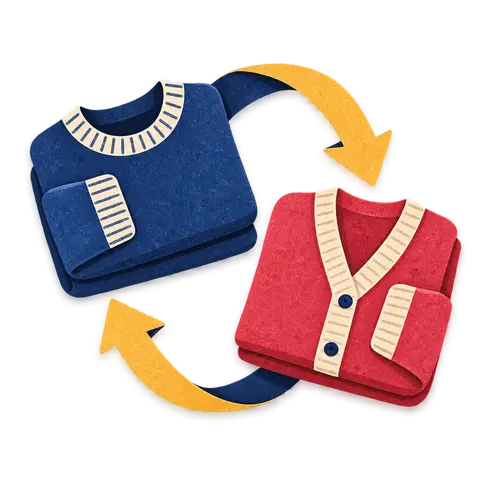
In fashion, returns are part of the sale, especially after the holidays and Eid. BoutiquePOS finds the original invoice, takes back the piece and puts it back in stock on the right size.
Returns and exchanges in BoutiquePOS let you look up the original sale, return all or part of it, and either refund the customer or give credit. For a size swap, you return the medium and sell the large in the same visit. Returned stock goes back onto the exact variation, and every return is recorded for your reports.
Who needs it
On the shop floor
Try it · size exchange
| Piece | Medium (M) | Large (L) |
|---|---|---|
| Shelf stock | 3 | 2 |
| Customer has | 1 | 0 |
Search the sale by invoice number or customer and the items, prices and discounts are already there. No guessing what the customer paid.
Return one top from a three-piece sale and keep the rest. The refund matches the discounted price actually paid.
Refund to cash or the original method, or record credit on the customer's account for their next visit.
Return the medium and ring up the large in the same visit. Stock goes back on one variation and comes off the other.
Faulty or wrong stock can go back to the supplier as a purchase return, which updates both stock and what you owe them.
Returns appear in your reports, so you can spot a style that keeps coming back and talk to the maker.
“A good exchange keeps the customer. A messy one keeps the receipt and leaves.”
The workflow
Need the screens? The help center walks through each one, and the setup guide covers your first day.
Look up the invoice by number, date or customer.
Select the items and quantities being returned.
Pick how the customer gets their money back and record the method.
For an exchange, add the replacement size to a new sale in the same visit.
The returned piece is added back to stock on its exact size and color.
Care instructions
CARE 1
Customers lose receipts. Searching by customer name or phone helps if they were saved on the sale, which is one more reason to attach customers at the till.
CARE 2
If a returned piece cannot be resold, adjust it out of stock with a reason so it does not show as available.
CARE 3
BoutiquePOS records returns but does not enforce a return window for you. Print your policy on the receipt layout so staff and customers see the same rule.
USA
US boutiques facing the January return rush can process size swaps quickly and keep sales tax correct on the refund.
UAE
UAE shops can refund VAT-inclusive amounts correctly and print an Arabic or English receipt for the exchange.
Pakistan
After Eid, Pakistani boutiques can swap kurta sizes and give credit instead of cash where that is the shop's policy.
On the rail
Sample reviews: illustrative examples written by our team to show the kind of results boutiques look for. They are not from real customers and will be replaced with real, verified reviews.
A dress that comes in five sizes and three colors is fifteen things to count, not one. BoutiquePOS keeps each of them separate so you always know whether the medium in sage is on the rack.

Your best customers come back because you know them. BoutiquePOS keeps their purchase history and rewards them with points, so the knowledge does not live only in one sales assistant's head.

Buying decisions are better with numbers than with memory. BoutiquePOS reports show what sold, what is left and what you made, by store, category and size.
FAQ
Still unsure? Ask us on WhatsApp or the form, or search the help center.
Yes. Choose only the items and quantities coming back; the rest of the sale stays as it was.
Yes. You can record the return as credit on the customer's account rather than paying out cash.
Return the original item, then sell the replacement in the same visit. Stock updates on both variations.
Yes. The return starts from the original invoice, so it refunds what the customer actually paid.
Yes. Purchase returns send stock back to the supplier and adjust what you owe them.
You set your own policy. Add it to your receipt layout so everyone sees it; the system records returns but does not block them by date.
Yes. Returns are recorded and reflected in sales and stock reports.
That is up to you. Roles and permissions let you decide which staff can process returns.
14-day free trial
Start free today, or book a demo and we set it up on your own products.
No card for the trialNo contractImport help is free
Adjust the site to suit you. Choices are saved on this device.
 BoutiquePOS
Recent
Popular