To set up size and color variants properly, create one parent product per style, add size and color as its two attributes, give every size-color combination its own SKU and barcode, and only then load stock. Get those four things right and your counts, reorders, labels and online store all fall into place. Get them wrong and you spend every Sunday recounting a rack that never balances.
Key takeaways
- One parent product per style, with size and color as attributes. Every combination becomes a variant with its own SKU, barcode and stock.
- Decide your SKU pattern before you enter a single product, and write it down for staff.
- A new color is a variant only when the fabric, cut and price match the rest of the style.
- Size abayas by length, kurtas by letter or chest, kidswear by age, and keep each size list consistent across the catalog.
- Import from a clean spreadsheet in small batches, then print labels from the same data.
What is a size and color matrix, and why does it matter?
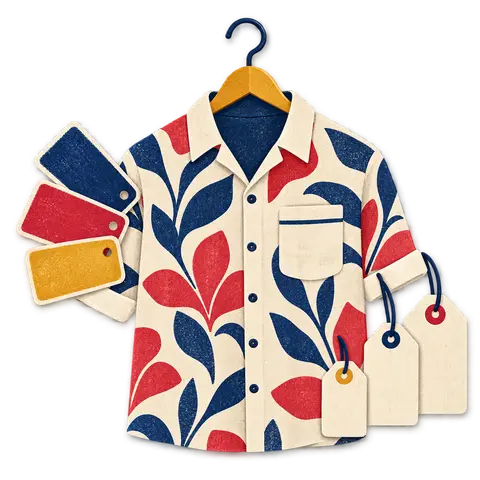
A size and color matrix is a grid for one style: colors down the side, sizes across the top, and a stock count in every cell. It matters because a boutique does not sell “the linen shirt”. It sells the linen shirt in sage, size M, and that is the cell that runs out first.
When you track at the style level only, your system says you have 14 linen shirts while your customer is standing at the counter asking for an M that you no longer have. When you track every cell, you can see the gap, reorder exactly that size and color, and stop over-buying the sizes that sit on the rail until markdown.
In BoutiquePOS, a variable product is that matrix. Each variation carries its own SKU, barcode, selling price, stock level and image. The size and color variants feature shows the grid view so you can receive, count and adjust a whole style on one screen.
What does a matrix look like in practice?
Here is a simple example for one style with three colors and five sizes:
| Linen shirt LS204 | XS | S | M | L | XL |
|---|---|---|---|---|---|
| Navy (NVY) | 1 | 2 | 3 | 2 | 1 |
| Sage (SGE) | 1 | 2 | 3 | 2 | 1 |
| Ecru (ECR) | 0 | 1 | 2 | 2 | 1 |
That is 15 variants. Each one is a line you can sell, scan, count, transfer and reorder on its own.
How should I plan variants before entering anything?
Plan on paper or in a spreadsheet first, then enter. Most messy catalogs come from someone typing products in on the day the delivery arrived, inventing size names as they went.
Follow these steps once and reuse them for every new season:
- List your attributes. For most boutiques that is size and color. Some add a third, like length for abayas or sleeve type for kurtas. Keep it to two where you can; three attributes multiply variants quickly.
- Fix your size lists. Write the exact spelling and order for each size system you use: XS, S, M, L, XL; or 52, 54, 56, 58, 60; or 2-3Y, 3-4Y. Do not allow “Med”, “M” and “Medium” to coexist.
- Fix your color names. Pick names a customer would recognize and a short code for each. Decide whether “off-white”, “ivory” and “ecru” are one color or three, and stick to it.
- Choose your SKU pattern. See the next section.
- Decide what varies by variant. Usually stock and barcode always vary. Price varies only when it really does (plus sizes, longer lengths). Images vary by color, rarely by size.
- Build one test style end to end. Enter it, print a label, sell it, return it, check the online store. Fix your pattern now, not after 400 styles.
How do I name SKUs so staff can read them?
Use a pattern of style code, color code and size code, separated by hyphens, in capitals, with no spaces. For example, LS204-NVY-M or AB118-BLK-56. A good SKU tells a stock assistant what they are holding without scanning it.
Some rules that save pain later:
- Keep the style code meaningful but short. Two letters for the category plus a running number works well: LS for linen shirt, KT for kurta, AB for abaya, KD for kids.
- Use fixed-length color codes. Three letters is enough for most palettes: BLK, NVY, SGE, MRN.
- Never reuse a style code. When a style is discontinued, retire its code. Reusing it confuses your sales history and reports.
- Do not put the season or price in the SKU. Both change. Put season in a category or tag and price in the price field.
- Let the barcode be separate. Your SKU is for humans; the barcode can be a Code 128 version of the SKU or a numeric EAN. Our barcode labels guide covers the choice.
| SKU part | Example | Rule of thumb |
|---|---|---|
| Category + style number | KT031 | 2 letters + 3 digits, never reused |
| Color code | MRN | 3 letters, from your fixed color list |
| Size code | L or 56 or 4-5Y | From your fixed size list, same spelling everywhere |
| Full SKU | KT031-MRN-L | Capitals, hyphens, no spaces |
What size runs should a boutique buy?
A size run is the number of pieces you buy per size for one color of a style. The right run is the one your own sales history supports, not the supplier’s default pack.
If you are just starting, a bell shape centered on your best-selling size is a reasonable first guess, like the 1-2-3-2-1 run in the table above. After one season, look at your sell-through by size in reports and adjust. Many boutiques find they sell out of M and L in the first two weeks and carry XS into the sale. That is a buying problem, and only variant-level data shows it.
How do I handle pack sizes from suppliers?
Suppliers often ship in fixed packs, for example one of each size or a “ratio pack”. Receive the pack against a purchase order that lists each variant, so stock lands in the right cells. If you receive “one pack” as a single line, you lose the size detail you were trying to capture.
When is a new color a variant and when is it a new product?
A color is a variant when it is the same garment in a different dye: same pattern, same fabric, same supplier, same price. It is a new product when anything else changes.
Use this checklist:
| Question | If yes |
|---|---|
| Is the fabric or print story different? | New product |
| Is the price different for reasons other than size? | New product |
| Does it come from a different supplier or factory? | New product |
| Do you want it to have its own page, photos and description online? | New product |
| Is it the same cut, fabric and price, just a different dye? | Variant |
Printed lawn and embroidered pieces are the common edge case. A floral print in blue and the same floral print in pink are variants. A floral print and a geometric print, even from the same designer, are separate products, because customers search and choose by print.
How do I size abayas, kurtas and kidswear?
Each category has its own size logic. The trick is to model the way your customers actually ask for the garment.
Abayas: size by length
Most abaya customers in Dubai and across the Gulf ask for a length, not a letter. Set length as the size attribute, in inches, for example 52, 54, 56, 58 and 60, and color as the second attribute. If a cut also comes in a wider fit, add “fit” as a third attribute only for those styles rather than for the whole category.
Longer lengths sometimes cost more. Variant-level pricing lets you charge more for the 60 without creating a separate product. Shops in the UAE can see how this looks on our Dubai page.
Kurtas and shalwar kameez: letters or chest size
Ready-to-wear kurtas are usually sized XS to XL or by chest measurement. Pick one and use it across the whole category. If some suppliers label by chest and others by letter, map them to one internal list when you receive stock, and print your own labels so the floor is consistent.
For unstitched suits sold by length of fabric, sizes do not apply at all. Use units and sub-units instead, explained in our guide to selling unstitched lawn by the suit and by the meter.
Kidswear: size by age
Size kids’ clothes by age band (0-3M, 3-6M, 6-12M, 1-2Y, 2-3Y and so on). Keep the age format identical everywhere, because “2-3Y”, “2-3 yrs” and “2/3” will become three separate sizes in your reports. Kids’ styles often need more sizes than adult styles, so check the variant count before you buy a deep color range.
Footwear and accessories
Shoes use numeric sizes; scarves, bags and jewelry are often single-variant products with color only. A product with one color and no sizes does not need to be variable at all.
How many variants is too many?
There is no hard limit to worry about, but every variant is a cell you have to count, label and keep in stock. A style with 6 colors, 7 sizes and 2 fits is 84 variants, and most of those cells will hold one or two pieces.
Before adding a third attribute, ask whether a customer really chooses it at the rail. If not, put it in the description instead. Fewer, cleaner variants give you more accurate counts and a tidier online store.
How do I import variants from a spreadsheet?
BoutiquePOS imports products from CSV, including variable products. The import is only as good as the sheet, so most of the work is cleaning before you upload.
- One row per variant. Each row carries the parent style name, the attribute values (size, color), SKU, barcode if you have one, price and opening stock.
- Check spellings with a filter. Filter the size column and the color column and look at the unique values. Any stray “Medium” or “navy “ with a trailing space becomes a separate value.
- Make SKUs unique. Use a duplicate check. Two rows with the same SKU will cause trouble at the till.
- Leave barcodes blank if you plan to generate them. You can let the system create barcodes and print labels afterward.
- Import ten styles first. Check them in the product list, the variant grid and the online store. Then import the rest in batches by category.
- Load opening stock last if your counts are still moving. Some shops import products with zero stock and then do a counted stock adjustment on a quiet morning.
If you are moving from another system, the switch page explains what to export and how assisted import works.
What mistakes should I avoid?
Most variant problems come from the same handful of habits:
- Creating a new product for every color because it was quicker on the day. Your reports then split one style into five unrelated items.
- Mixing size systems inside one category. “M” next to “38” next to “Medium” makes sell-through by size meaningless.
- Receiving packs as one line. Size detail lost at receiving is lost for good.
- Editing stock by hand to fix a sale. If an exchange went wrong, process it as a return and resale so the history stays honest. See returns and exchanges.
- Skipping labels. Unlabeled variants get sold as the wrong size at the till. Print labels from the system the day stock arrives.
How do variants connect to the rest of the shop?
Once your variants are set up, everything else reads from them. Labels print per variant. The till scans the variant, not the style. Returns put stock back into the right cell. Stock transfers between locations move individual sizes. Seasonal markdowns can target a category or brand while each variant keeps its own count. And the online store shows size and color selectors that grey out when the matching variant hits zero.
That is the real payoff. You do the careful planning once per season, and the rest of the shop runs off a matrix you can trust. If you want to see a variant grid with your own styles, the how it works page walks through signup to first sale, and our help center has step-by-step screens.
#Variants#Sizing#Barcodes#Online Store
Written by
The BoutiquePOS editorial desk writes practical guides for boutique and apparel owners in the USA, the UAE and Pakistan. Every article is checked against how the software actually behaves, dated, and updated when the product changes. We do not publish invented statistics; where we quote a number we name its source and the date we checked it.